Why Your Workstation Is Hurting Your Joints
If you’ve ever woken up with stiff shoulders, aching wrists, or a tight neck after a day at your desk, you’re not alone. About 62% of office workers deal with work-related joint pain, and for many, it’s not just discomfort-it’s chronic pain that lingers for months or years. The culprit? A workstation that doesn’t match your body. It’s not about sitting up straight or doing more stretches. It’s about how your chair, desk, monitor, and keyboard are positioned-and whether they let your joints move naturally.
Here’s the hard truth: no amount of yoga or painkillers will fix a desk that forces your wrists into a bent angle, your neck to crane upward, or your shoulders to hunch forward all day. Ergonomics isn’t a luxury. It’s the science of making your workspace fit you-not the other way around. And when done right, it doesn’t just reduce pain. It cuts down on lost workdays, boosts focus, and keeps you moving well for years to come.
How to Set Up Your Chair for Joint Support
Your chair is the foundation. If it’s wrong, everything else falls apart. Start with the basics: your feet should rest flat on the floor, knees at a 90- to 110-degree angle. If your feet dangle, grab a footrest. Simple. No excuses.
Now, the lumbar support. Most people think it’s just about having a cushion in the lower back. It’s not. The support needs to hit your L3-L4 vertebrae-the natural curve of your lower spine. If it’s too high, you’ll arch unnaturally. Too low, and your spine slumps. Adjustable lumbar support isn’t a bonus-it’s a must. Studies show chairs with proper lumbar adjustment reduce lower back pain by 37.8%, while cheap ones with fixed padding only help by 12.3%.
Seat depth matters too. There should be 1 to 2 inches between the edge of the seat and the back of your knees. Too deep, and your thighs are compressed. Too shallow, and you’re sliding forward. And don’t ignore height adjustability. Your chair should move between 16 and 21 inches off the floor to match your popliteal height (the distance from the floor to the back of your knee). If you can’t adjust it, it’s not ergonomic.
Monitor Placement: The Silent Neck Killer
Think your monitor is fine if it’s "at eye level"? Think again. Most people misinterpret this. Eye level doesn’t mean the top of the screen is level with your eyes. It means the top of the screen should be just below eye level, so your gaze naturally drops 15 to 20 degrees. That’s about the angle your eyes use when reading a book in your lap.
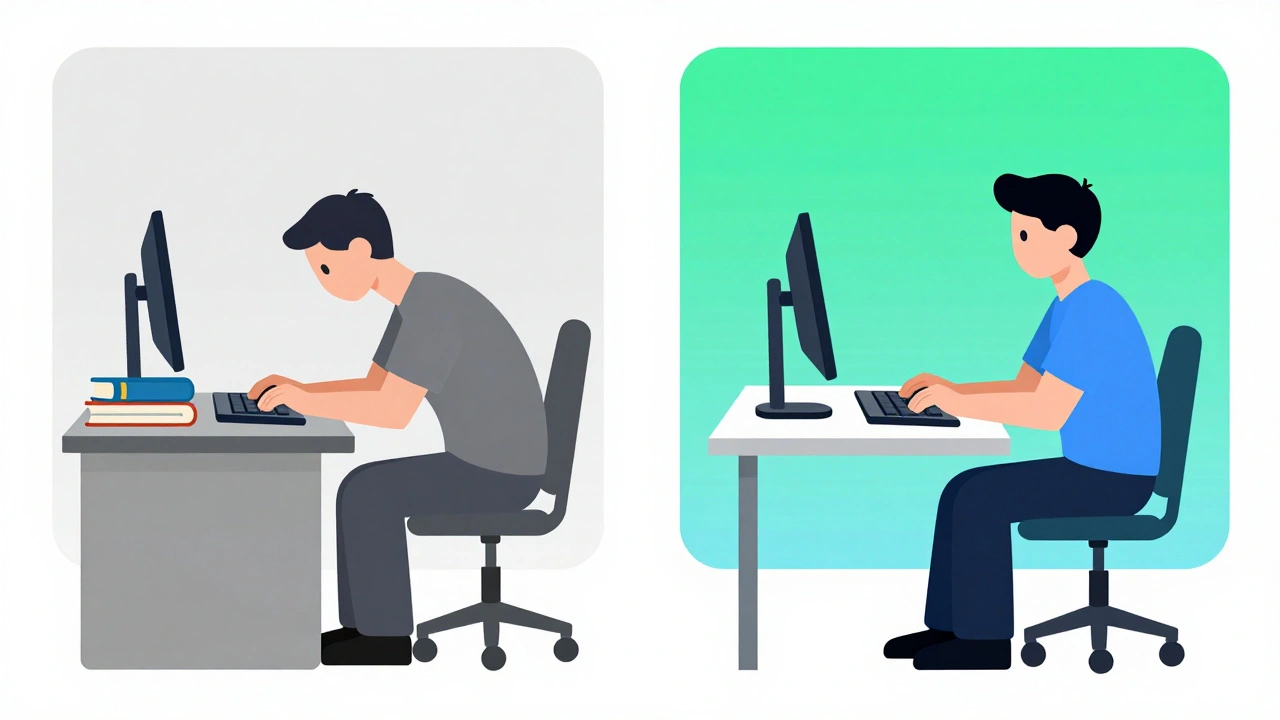
Why does this matter? If your monitor is too high-say, mounted on a stack of books or a shelf-you’re tilting your head up. Research from the Mayo Clinic shows that positioning your monitor more than 30 degrees above eye level increases pressure on your cervical spine by 4.5 times. That’s like carrying a 20-pound backpack on your neck all day. Over time, it accelerates disc degeneration.
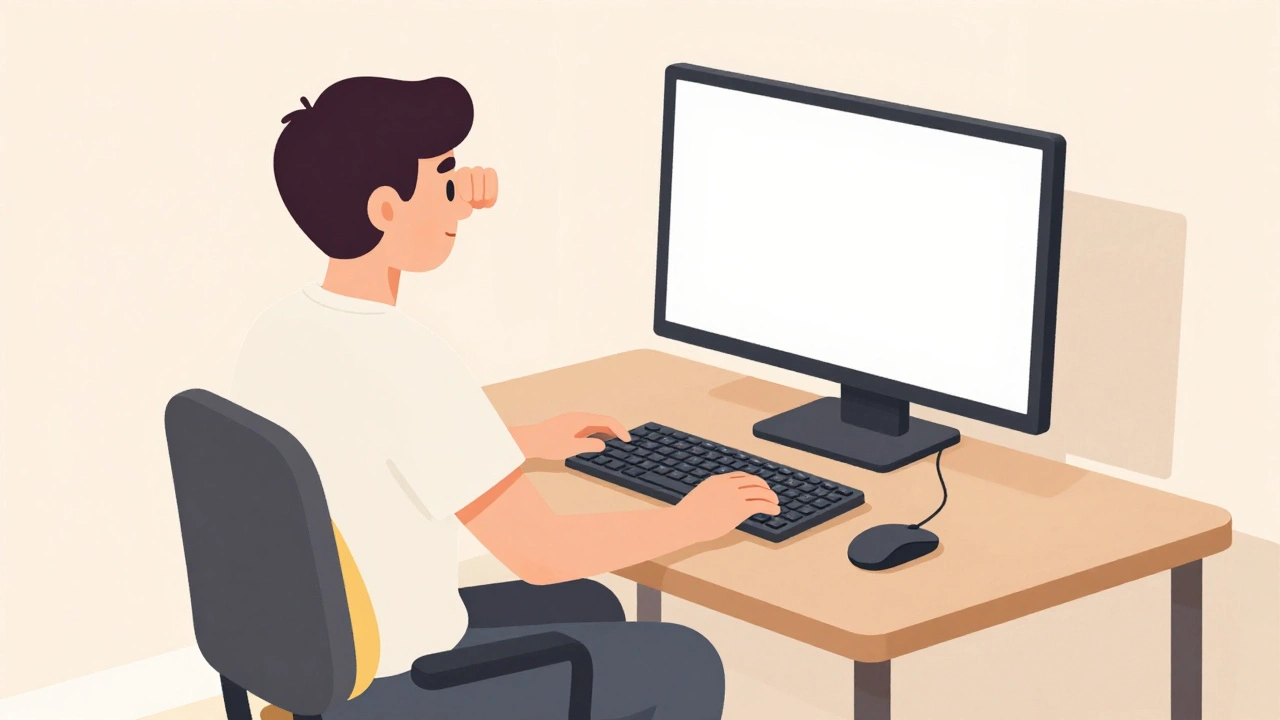
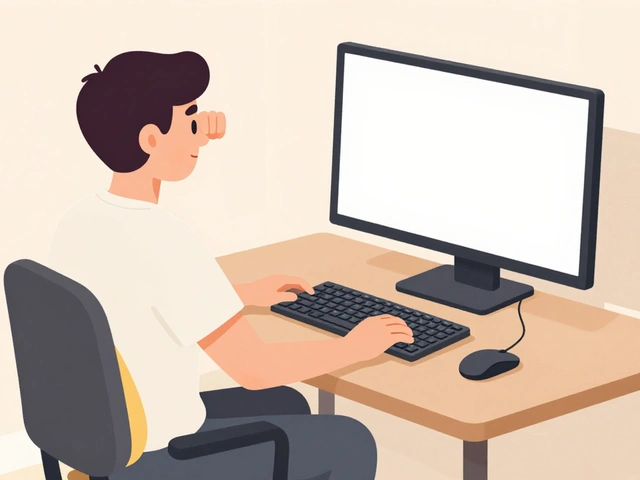
Distance matters too. Keep your screen 20 to 30 inches away. Too close, and your eyes strain. Too far, and you lean forward. The "fist test" works: place a fist between your eyes and the top of the monitor. If it fits, you’re in the right range. Use a monitor arm if you can. They let you adjust height, tilt, and distance with one hand. Fixed stands? They’re a trap.
Keyboard and Mouse: Your Wrist’s Best Friends
Wrist pain isn’t just from typing too much. It’s from typing the wrong way. Your elbows should rest at 90 to 110 degrees, close to your sides. If your arms are floating out to the sides, your shoulders are working overtime. That’s how rotator cuff strain starts.
Now, the keyboard. A flat keyboard forces your wrists into a 30- to 45-degree upward bend. That’s bad. An ergonomic keyboard with negative tilt (sloping down away from you) brings your wrists closer to neutral-around 0 to 15 degrees. That reduces carpal tunnel pressure by 43%. You don’t need a fancy split keyboard to start. Even a simple tilt tray under a standard keyboard helps.
And the mouse? Keep it within 1 to 3 inches of your keyboard. Every time you reach for it, your shoulder and elbow muscles fire up. A vertical mouse can be a game-changer. A 2023 survey of over 5,000 remote workers found that 72% saw immediate wrist pain reduction after switching. Yes, it takes 2 to 3 weeks to get used to it. But so does learning to ride a bike. The payoff? Less tingling, less numbness, fewer doctor visits.
The Power of Movement: Microbreaks Are Non-Negotiable
Even the perfect setup won’t save you if you sit still for hours. Your joints need movement. Static posture-like sitting with your arms in the same position for 30 minutes-cuts off blood flow and builds pressure in tendons and nerves. The American Physical Therapy Association recommends microbreaks: 30 to 60 seconds every 30 minutes.
What do you do in that time? Stand up. Stretch your arms overhead. Roll your shoulders. Gently tilt your head side to side. Stand at your desk for a few minutes. Walk to the water cooler. These aren’t just "good habits." They’re medically proven. Studies show microbreaks reduce static joint loading by 28%. And with new NIOSH guidelines in 2024, smart systems now use algorithms to remind you when to move based on your posture history-not just a timer.
People who use sit-stand desks report less pain, but only if they actually switch positions. Sitting for 4 hours, then standing for 4 hours isn’t better than sitting all day. You need to alternate. Aim for 20 minutes sitting, 8 minutes standing, 2 minutes moving. Repeat. It’s not about standing all day. It’s about changing positions often.

What Works vs. What’s a Waste of Money
Not all ergonomic gear is created equal. A $150 chair from a big-box store might look nice, but if it doesn’t adjust lumbar support vertically by at least 2 inches, it’s not helping your spine. Same with desks. A fixed-height desk at 29 inches won’t fit anyone under 5’6” or over 6’1”. Adjustable desks with 24 to 48 inches of height range? That’s the sweet spot.
Here’s what actually delivers results:
- Adjustable chair with lumbar support ($300+) → 37.8% pain reduction
- Monitor arm with 18-inch vertical adjustment → fixes 89% of neck pain from wrong height
- Vertical mouse → 72% report wrist pain drop within weeks
- Negative tilt keyboard tray → cuts wrist extension from 35° to 12°
What’s a waste?
- Fixed-height desks
- Chairs under $200 with no lumbar adjustment
- Monitor stands that can’t be raised or tilted
- "Ergonomic" pillows you just throw on your chair
Don’t get tricked by branding. Look at adjustability. If you can’t fine-tune it, it’s not ergonomic. And remember: even the best gear fails if you don’t use it right. A 2021 study found that 63% of people revert to bad posture within 90 days without ongoing awareness. Tools help-but behavior changes everything.
Real People, Real Results
Reddit’s r/ergonomics community has over 140,000 members sharing real stories. One user, after 8 years of lower back pain, switched to a Herman Miller Aeron chair with proper lumbar adjustment. His pain dropped from 7/10 to 2/10. Another user, who used a flat keyboard for years, switched to a vertical mouse. Within a month, the numbness in her fingers was gone.
But not everyone gets it right. One popular thread titled "I bought all the ergonomic gear but still have neck pain" got over 1,400 comments. The common thread? Monitors mounted too high. People thought "eye level" meant the top of the screen. It doesn’t. It means the top should be just below your natural gaze line.
And the data backs this up. A 2022 Arthritis Foundation survey of 3,412 people found that 83% of those who stuck with proper ergonomics saw joint pain reduce within 6 to 8 weeks. Not months. Not years. Six to eight weeks.
What to Do Today
You don’t need to rebuild your whole workspace tomorrow. Start with one thing:
- Check your monitor height. Put a fist between your eyes and the top of the screen. If it doesn’t fit, lower it.
- Adjust your chair so your feet are flat and your knees are at 90 to 110 degrees.
- Move your mouse closer to your keyboard. No reaching.
- Set a timer for 30 minutes. When it goes off, stand up, stretch for 60 seconds, then sit back down.
Do those four things for a week. Then, if you still feel pain, look at your chair. If it doesn’t have adjustable lumbar support, consider upgrading. If your desk is fixed-height, get a simple riser for your monitor and keyboard. Small steps add up.
And if you work from home-where 68% of people use non-ergonomic furniture-don’t wait for your company to fix it. Your body can’t wait. Start now. Your joints will thank you in 5 years.
Can ergonomics really reduce joint pain?
Yes. Studies show properly set-up workstations reduce musculoskeletal pain by up to 38.7% in the upper body and 29.4% in the lower back. A 2021 clinical trial found a 27% drop in pain intensity across neck, shoulder, and wrist areas. These aren’t minor improvements-they’re clinically significant.
Do I need an expensive chair to benefit from ergonomics?
Not necessarily, but cheap chairs often lack critical adjustments. Chairs under $200 usually have fixed lumbar support, which doesn’t fit everyone’s spine. A $300+ chair with adjustable lumbar height and depth gives you 37.8% more pain relief than budget options. If you’re on a tight budget, start with a $30 lumbar cushion and focus on monitor and keyboard positioning first.
How long does it take to see results from ergonomic changes?
Most people notice less stiffness and pain within 1 to 2 weeks. Significant improvement-like reduced tingling in hands or less morning back pain-typically shows up in 6 to 8 weeks. The key is consistency. If you adjust your setup but go back to slouching, you won’t see lasting results.
Is standing all day better than sitting?
No. Standing for hours creates its own strain on knees, hips, and lower back. The goal isn’t to stand more-it’s to move more. Alternate between sitting and standing every 20 to 30 minutes. Add short walks or stretches. Movement is the real key, not just the position.
What if I work from home with no budget for new gear?
You can still make big improvements. Use a stack of books to raise your monitor to eye level. Put a pillow behind your lower back. Use a hard surface like a dining table as a desk. Keep your mouse close. Take microbreaks every 30 minutes. These cost nothing but can cut pain by over 50% if done consistently.







Kevin Estrada December 3, 2025
bro i bought this $800 chair with 'lumbar support' and it felt like a brick was shoved in my lower back. turned out the 'adjustable' part was a joke. i ended up using a rolled-up hoodie. now i don't even sit. i stand on a milk crate. life changed. 🤡
Katey Korzenietz December 4, 2025
you people are so lazy. if you can't sit up straight, maybe you shouldn't be working. my grandma worked 12-hour shifts typing on a typewriter in 1952 and never had a 'wrist issue'. it's called discipline. stop buying gadgets and start having spine.
Ethan McIvor December 4, 2025
i think about this a lot... how our bodies are these ancient machines trying to survive in a world built for efficiency, not biology. we're designed to move, hunt, rest, stretch... not stare at screens for 8 hours while our wrists bend like paperclips. it's not just ergonomics-it's a quiet rebellion against modernity. 🌿
Michael Bene December 4, 2025
okay but let’s be real-90% of this is just corporate wellness theater. you think your $500 monitor arm is gonna fix your posture if you’re still doomscrolling at 2am? nah. the real problem? you’re addicted to your phone, caffeine, and the illusion that ‘productive’ means ‘motionless’. your body’s screaming. you’re just muted it with a fancy keyboard. 🤡
Paul Corcoran December 5, 2025
i started with just one thing-moving my mouse closer. i was reaching like i was trying to grab a cookie from across the table. within 3 days, my shoulder stopped feeling like it was being pulled out of socket. no gear needed. just awareness. you don’t need to overhaul your life. just move one thing. then another. then another. small wins add up.
Colin Mitchell December 6, 2025
hey, if you're reading this and thinking 'i don't have time for this'-i get it. i used to be you. but i started doing 60-second stretches every time i got up to pee. yeah, really. now i don't have morning back pain. i'm not a fitness guru. i just moved more. you can too. you got this 💪
Justin Hampton December 7, 2025
62% of office workers have joint pain? funny. that’s also the percentage of people who can’t follow basic instructions. if your chair doesn’t adjust, get a new one. if your monitor is on a stack of books, get a stand. if you’re still using a flat keyboard after 2024, you’re not ergonomic-you’re a fossil.
Pooja Surnar December 8, 2025
u think u r so smart with ur 'negative tilt' and 'popliteal height' but u still sit like a corpse. i seen people with $2000 desks slumped over their phones like zombies. ergonomics ain't gear. it's character. u need discipline. u need willpower. u need to stop being a weak little baby. fix urself.
Sandridge Nelia December 10, 2025
i had carpal tunnel for 3 years. tried braces, ice, meds. nothing. switched to a vertical mouse. 2 weeks later, the numbness was gone. i cried. it wasn't magic-it was just the right angle. if you're reading this and still using a regular mouse... please just try it. it's $30. your hands will thank you 😊
Gerald Nauschnegg December 12, 2025
i tried the fist test. my monitor was too high. lowered it. now i can see the whole screen without moving my head. i didn't even know i was tilting up. like, my neck was just... stuck. i feel like a new person. also, i'm not even gonna buy a new chair. i just put a pillow behind me. it's wild how simple this is.
Joanne Rencher December 12, 2025
i bought the 'ergonomic' keyboard. looked cool. took 3 weeks to get used to. now i type like a robot. my fingers hurt more. maybe it’s not for everyone? maybe we’re all just built wrong? 🤷♀️
Adrianna Alfano December 12, 2025
my mom’s from the Philippines and she always said, 'if your body hurts, you’re doing it wrong.' i didn't get it until i started working from home. i used a folding table, a stool, and a stack of textbooks. monitor at eye level. mouse right next to my palm. took me 2 weeks to feel normal. no gear. just observation. we forget that our ancestors didn't need ergonomic chairs to live long lives.
Casey Lyn Keller December 13, 2025
so... this whole thing is just a ploy by chair companies to sell $1000 seats? i’ve seen the ads. 'Your spine is crying!' yeah, right. next they’ll tell me my coffee mug is causing scoliosis. i’m not buying it. if you sit wrong, you get pain. if you sit right, you don’t. no magic gear needed. just don’t be a sloth.
Jessica Ainscough December 14, 2025
i just started doing the 30-min microbreaks. stood up, stretched, walked to the window. felt like i’d had a nap. didn’t even know i was holding my breath all day. it’s not about the gear. it’s about remembering you’re a living thing, not a machine. small pauses. big difference.