FDALabel Search Strategy Builder
Construct your ideal FDALabel search strategy step-by-step. This tool guides you through narrowing down the database of 149,000+ documents to find exactly what you need.
Step 1: Define Your Scope (Application Type)
Narrowing this down immediately reduces noise. Which approval pathway are you investigating?
Step 2: Choose Document Type
Mixing these categories often leads to irrelevant results. Who is the intended user of this product?
Step 3: Select Target Section
This is crucial for precision. Searching "liver failure" in full text vs. Boxed Warnings yields vastly different risk insights.
Your Search Strategy
Recommended Query Parameters:
- Application Type:
- Document Type:
- Search Section:
Pro Tip:
Why this works:
Searching through thousands of dense regulatory documents is a nightmare for anyone who isn’t trained in it. If you need precise information about drug warnings, interactions, or ingredients, scrolling through PDFs manually is inefficient and risky. This is where FDALabel comes in. It is a free, web-based database application developed by the U.S. Food and Drug Administration's National Center for Toxicological Research (NCTR) that lets you search the actual text of over 149,000 drug labeling documents. Unlike general search engines, this tool digs into the official Structured Product Labeling (SPL) data submitted by manufacturers. Whether you are a researcher tracking side effects or a clinician checking for contraindications, FDALabel provides direct access to authoritative source material without the guesswork.
What Is FDALabel and Who Needs It?
FDALabel is not just another drug lookup site. It is a specialized search engine built on top of the FDA’s SPL archive. The database contains human prescription drugs, biological products, over-the-counter (OTC) medications, and animal drug labels. As of July 2024, the platform hosts more than 149,000 documents, updated twice monthly to reflect new approvals and label changes.
The primary users fall into four distinct groups:
- Pharmaceutical Researchers: They use the tool to analyze ingredient trends, study competitive products, and identify safety signals across multiple drug classes.
- Regulatory Professionals: They verify compliance by checking exact wording in Boxed Warnings or Adverse Reactions sections.
- Healthcare Providers: They look up specific interaction data or dosing guidelines that might be buried in lengthy prescribing information.
- Public Health Analysts: They leverage the data for pharmacovigilance studies, often combining FDALabel with other datasets to track adverse events.
The key advantage here is authenticity. Since the data comes directly from the FDA’s central repository, you are reading the same documents regulators review. There is no third-party interpretation or summary that might miss critical nuances.
Core Features and Version 2.9 Updates
The current version, 2.9, released in July 2024, brings significant improvements based on user feedback. One major pain point in previous versions was navigating large result sets. The update introduced a locked top header for the results table, so you can scroll down through long lists of matches without losing sight of the column names.
Export capabilities have also expanded. You can now download results as an Excel file (.xlsx) in addition to the standard CSV format. The Excel export includes a second sheet with metadata like the Query Link, Result Link, and Export Date. This makes it easier to share reproducible searches with colleagues or integrate the data into broader analytical workflows.
Beyond these interface tweaks, the core functionality remains powerful:
- Full-Text Search: Scan every word in the entire database.
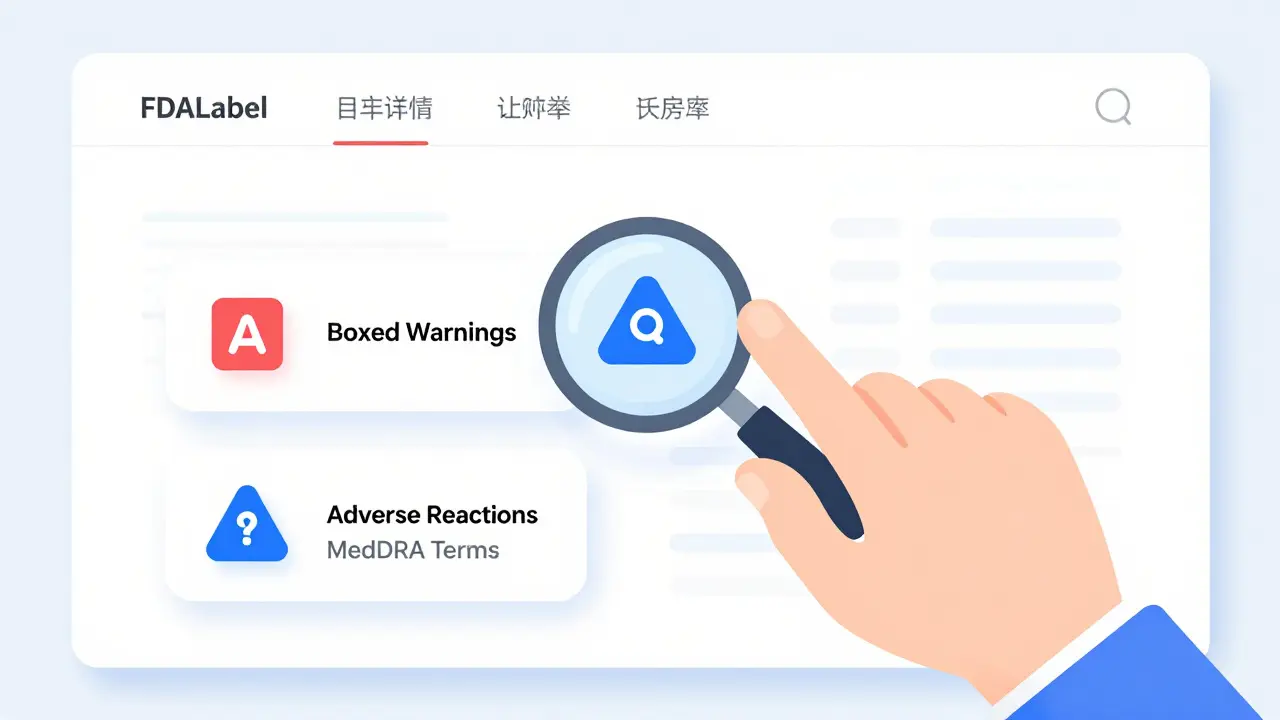
- Section-Specific Search: Target only "Boxed Warnings," "Adverse Reactions," or "Drug Interactions." This is crucial when you need to know if a specific term appears in a high-priority warning section versus a general description.
- MedDRA Integration: Search using Medical Dictionary for Regulatory Activities standard terms. This allows researchers to find adverse events reported consistently across different drugs, even if manufacturers used slightly different phrasing.
- Permanent Query Links: Save complex search parameters as a unique URL. You can share this link with others, and they will see the exact same results.
How to Perform Advanced Searches
Getting started is simple, but mastering the filters is where the real value lies. Here is how to structure a search for maximum precision.
- Define Your Scope: Start by selecting the application type. Are you looking at New Drug Applications (NDAs), Biologics License Applications (BLAs), or Abbreviated New Drug Applications (ANDAs)? Narrowing this down immediately reduces noise.
- Choose the Document Type: Filter by Human Prescription, OTC, or Animal Drugs. Mixing these categories often leads to irrelevant results.
- Select the Section: If you are researching safety, do not use full-text search. Instead, select "Boxed Warning" or "Adverse Reactions." For example, searching for "liver failure" in the full text might return mentions in the clinical trial methodology. Searching specifically in "Boxed Warning" tells you which drugs carry the highest risk alert.
- Use MedDRA Terms: If you are studying a specific side effect, use the standardized MedDRA terminology. This ensures you catch all variations of the event reported by different manufacturers.
- Apply Pharmacologic Class Filters: Limit your search to a specific drug class, such as ACE inhibitors or SSRIs, to compare labeling within a therapeutic category.
A practical example: A researcher wants to find all human prescription drugs approved via NDA that mention "acute liver failure" specifically in their Boxed Warning. By setting these three filters-Human Rx, NDA, and Boxed Warning-they get a focused list of 66 relevant labels. Without these filters, the same keyword search might return hundreds of unrelated documents.
FDALabel vs. Other FDA Resources
It is easy to confuse FDALabel with other FDA tools because they all deal with drug information. However, each serves a different purpose. Understanding the differences helps you pick the right tool for the job.
| Feature | FDALabel | Drugs@FDA | DailyMed |
|---|---|---|---|
| Primary Focus | Deep text search within labeling content | Approval history and regulatory status | Current package insert viewing |
| Search Depth | Full text and section-specific | Basic metadata and approval dates | Document browsing only |
| Best For | Research, safety analysis, compliance checks | Checking if a drug is approved | Quick reference for prescribers |
| Data Export | Excel and CSV with query links | Limited | None |
Drugs@FDA is excellent for tracking the lifecycle of a drug-from submission to approval-but it does not let you search inside the label text. DailyMed hosts the same SPL documents but lacks the advanced filtering and section-specific search capabilities of FDALabel. If you need to answer "Does Drug X warn about Condition Y?" FDALabel is the superior choice.
Limitations and Learning Curve
FDALabel is powerful, but it is not intuitive for everyone. The biggest hurdle is familiarity with regulatory terminology. You need to know what an NDA is, understand the difference between an ANDA and a BLA, and be comfortable with MedDRA coding.
Another limitation is the lack of commercial context. FDALabel will not tell you the price of a drug, its market share, or patient satisfaction scores. It is strictly a regulatory content tool. For those insights, you would need to cross-reference with commercial databases like IQVIA or Symphony.
Also, while the search is robust, it is not AI-driven in the way modern natural language processors are. It relies on keyword matching and boolean logic. However, recent academic projects like "AskFDALabel" are exploring ways to combine FDALabel data with Large Language Models (LLMs) to make querying more conversational. Until then, users must craft their queries carefully.
Practical Tips for Efficient Use
To get the most out of FDALabel, keep these strategies in mind:
- Save Your Queries: Always copy the permanent query link after running a complex search. This allows you to revisit the exact same results later, even if the database updates.
- Use Excel Exports for Analysis: When dealing with large datasets, export to Excel. The additional metadata sheet helps you document your methodology for reports or publications.
- Combine with GSRS: The Global Substance Registration System (GSRS) integration helps you trace substances across different products. Use this when investigating generic equivalents or active ingredient variations.
- Check Update Dates: Remember that the database updates twice monthly. If you are monitoring a recently approved drug, check the last update timestamp to ensure you are seeing the latest label version.
For beginners, the FDA’s Quick Start Manual is invaluable. It walks through specific scenarios, such as finding all drugs with a particular warning. Spending ten minutes reading this guide will save hours of frustrated searching.
Is FDALabel free to use?
Yes, FDALabel is completely free. It is a public resource maintained by the FDA’s National Center for Toxicological Research. There are no subscription fees or login requirements.
How often is the FDALabel database updated?
The database is updated twice monthly. Data is sourced directly from the FDA’s SPL archive, ensuring that new approvals and label changes are reflected quickly.
Can I search for over-the-counter (OTC) drugs?
Yes. You can filter your search to include OTC products alongside human prescription drugs and animal drugs. This is useful for comparing labeling standards across different product types.
What is the difference between FDALabel and DailyMed?
While both host SPL documents, FDALabel offers advanced search features like section-specific searching (e.g., only Boxed Warnings) and MedDRA term integration. DailyMed is better for quick viewing of individual package inserts but lacks deep analytical search capabilities.
How do I save a complex search for later?
FDALabel generates a permanent query link for every search. Copy this URL from your browser address bar or the results page. Sharing this link allows others to replicate your exact search criteria and results.
Does FDALabel provide pricing or market data?
No. FDALabel focuses exclusively on regulatory labeling content. It does not include pricing, sales volume, or market share information. For those metrics, you would need to consult commercial pharmaceutical databases.
What is MedDRA and why is it important in FDALabel?
MedDRA (Medical Dictionary for Regulatory Activities) is a standardized terminology system for adverse events. Using MedDRA terms in FDALabel ensures you capture all reports of a specific side effect, regardless of how different manufacturers phrase it in their labels.
Where can I find help or documentation for FDALabel?
The FDA provides a Quick Start Manual online, which includes step-by-step guides and examples. Additionally, there is a dedicated mailing list for users to ask questions and receive updates on new features.